 RMON
RMON
- How to set up your Time zone
- How to create a Telegram bot and use it with RMON
- How to create a Slack APP and use it with RMON
- How to create PagerDuty Integration key and use it with RMON
- Notifications and alerting
- Status pages
- Security checklist
- Company sign-in with OIDC
- Get started with the RMON API
- Backup and recovery
- How to use groups and roles
- How to change user settings
Servers
Servers management
A server record identifies a host that RMON can access over SSH to install and manage an agent. It is separate from the websites, hosts and services you monitor in checks.
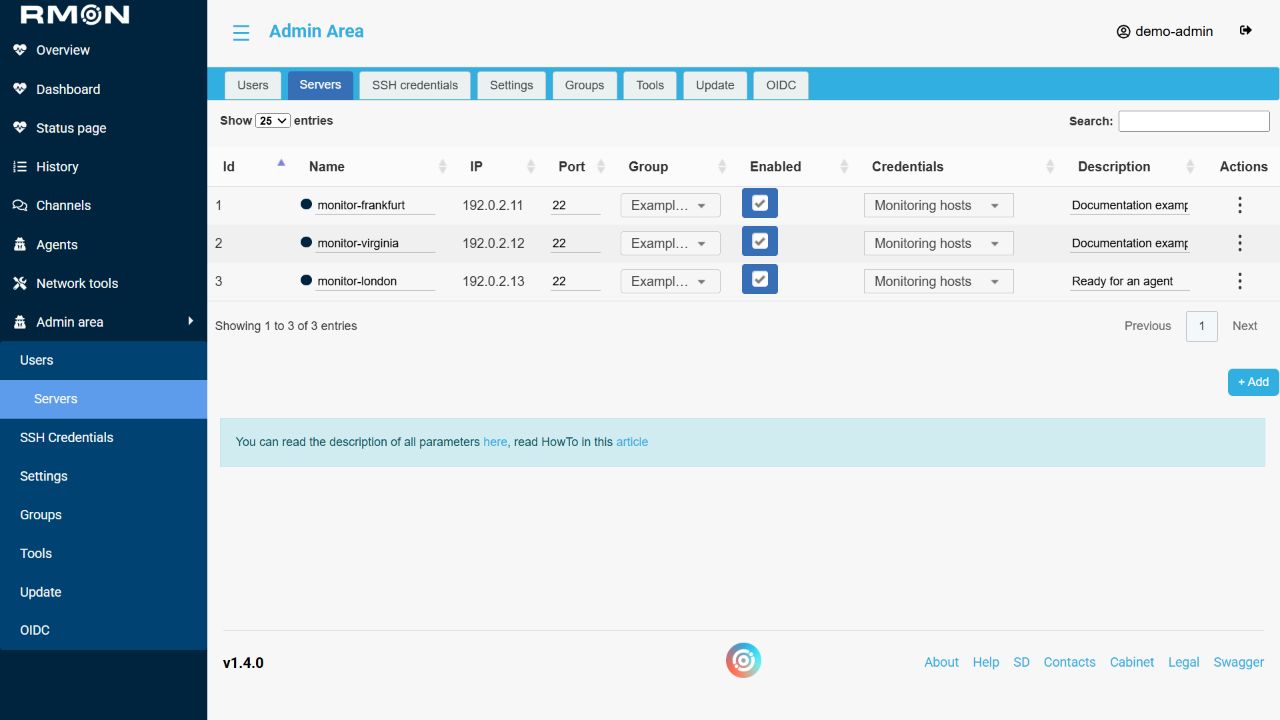
Server fields
Scroll horizontally to view the full table.
| Field | How to use it |
|---|---|
| Name | A recognizable host name shown in RMON. |
| IP | The IP address or hostname RMON can reach. Use the address accessible from RMON, including from its container when using Docker. |
| Port | The SSH port, normally 22. This is not the agent's management port. |
| Credentials | The saved SSH credentials for this host. |
| Group | The workspace that owns the server and its agent connection settings. |
| Enable | Makes the host available for normal selection. This does not install or stop an agent. |
| Description | Optional context for administrators. Keep credentials out of this field. |
Edit a server
Open Admin area → Servers and edit the fields in the server's row. RMON saves a text or numeric field when you change it and leave the field; changing a selection or the Enabled checkbox also saves the row. A successful update briefly highlights the row. Read any error before continuing.
The existing row displays the IP address or hostname as a value you can copy. After changing the SSH port or credentials, use Check SSH before running another installation or management task.
Read the status indicator
The dot beside the server name reports a ping from RMON: green means a reply was received, red means the probe failed, and gray means status is unavailable. A host that blocks ICMP can appear unreachable even when SSH works. Use Check SSH to test authentication, and inspect the agent and fresh check results to assess monitoring health.
Server actions
Open the row's Actions menu:
Scroll horizontally to view the full table.
| Action | Use |
|---|---|
| Check SSH | Test access using the saved address, port and credentials. See SSH connection checks. |
| View firewall rules | Read the host's firewall rules when investigating blocked connections. |
| View history | Review recorded administration actions for this host. |
| Show server info | Open the host's system information and refresh it when you need current details. |
| Copy settings | Open the Add server dialog with settings from this row. Review the name, address, enabled state and credentials before creating the new record. |
| Delete | Remove the server record. Review its agent and transfer required checks before retiring a monitored host. |
For the initial setup, follow adding a server, then install an agent.